Introducing the New Starter House
The Easiest Way to Start Your Round 🚀🏌️‍♀️

At GLFR, we believe that your focus on the course should be on your game, not on the app. That is why we have completely redesigned the starting experience. With the new, improved Starter House, getting from the parking lot to the first tee has never been faster or more intuitive.

Streamlined Setup

The first thing you’ll notice is how much easier it is to find the course you are about to play. Simply click “Play” in the bottom menu, select the club from the list of nearby clubs, your home club or search GLFR more than 6000 clubs, and then choose which course you are playing, and you are good to go.

Once selected, setting up your flight is a breeze. We’ve made it incredibly simple to:

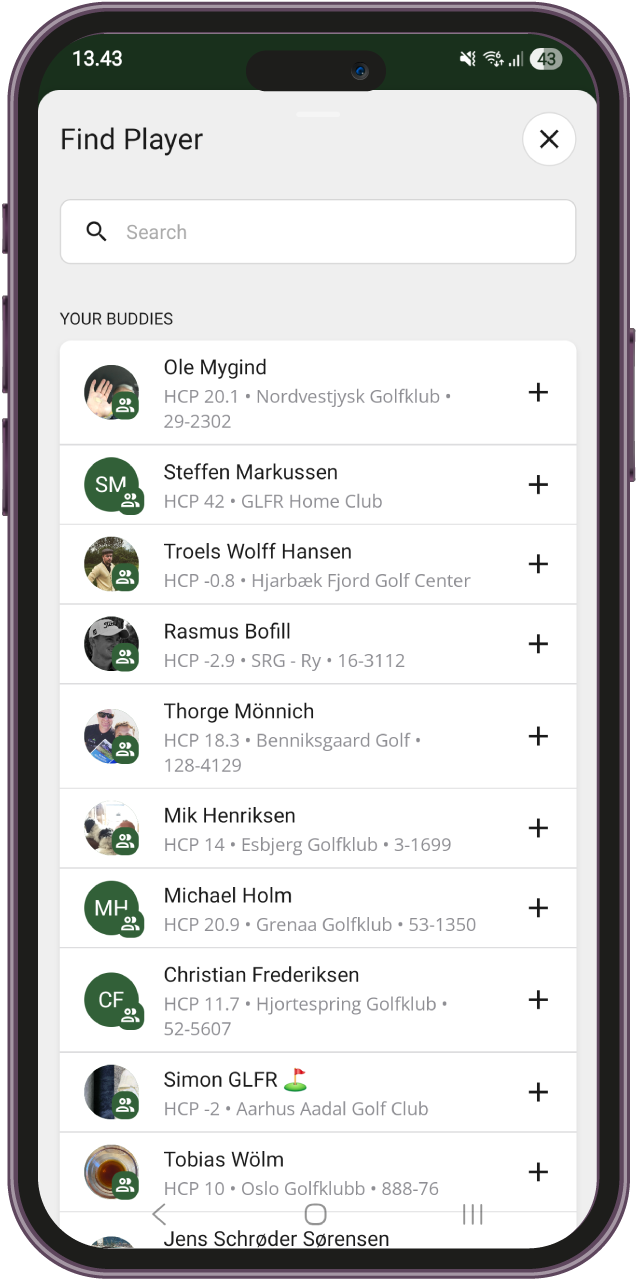
  • Add your Buddies in seconds or search for any GLFR and Gimmie (in Norway) user.
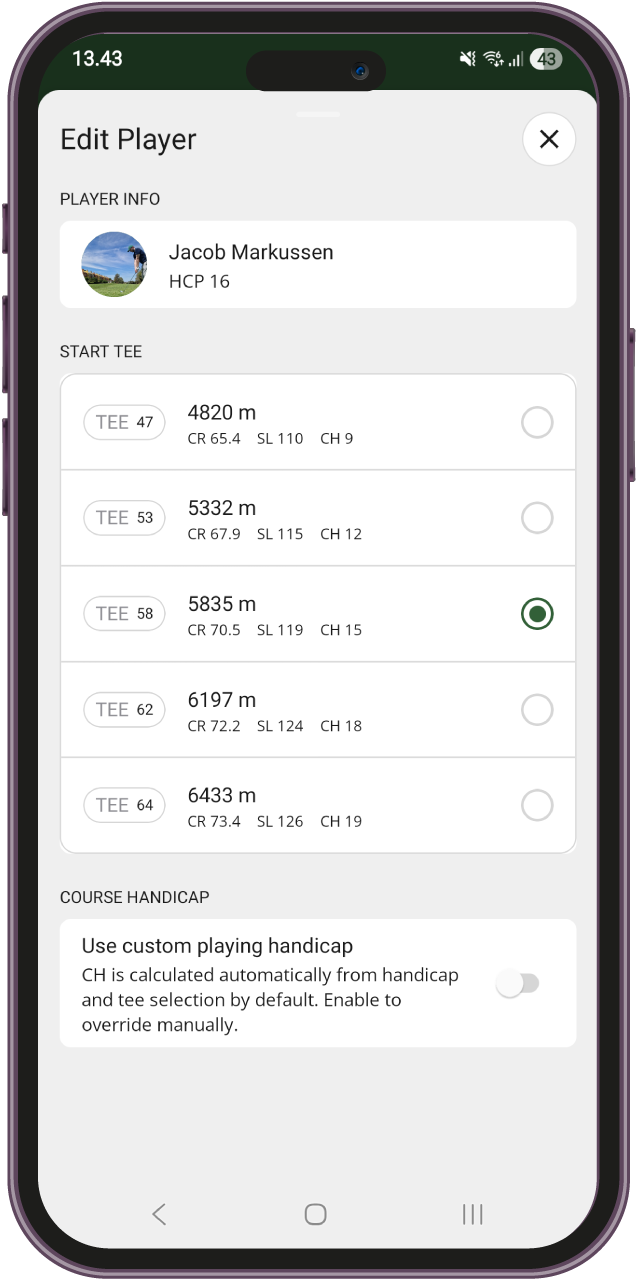
  • Select the correct tee for every player in the group – course handicap is automatically calculated.
  • Adjust Course Handicaps on the fly, ensuring everyone has the correct strokes before the first drive.
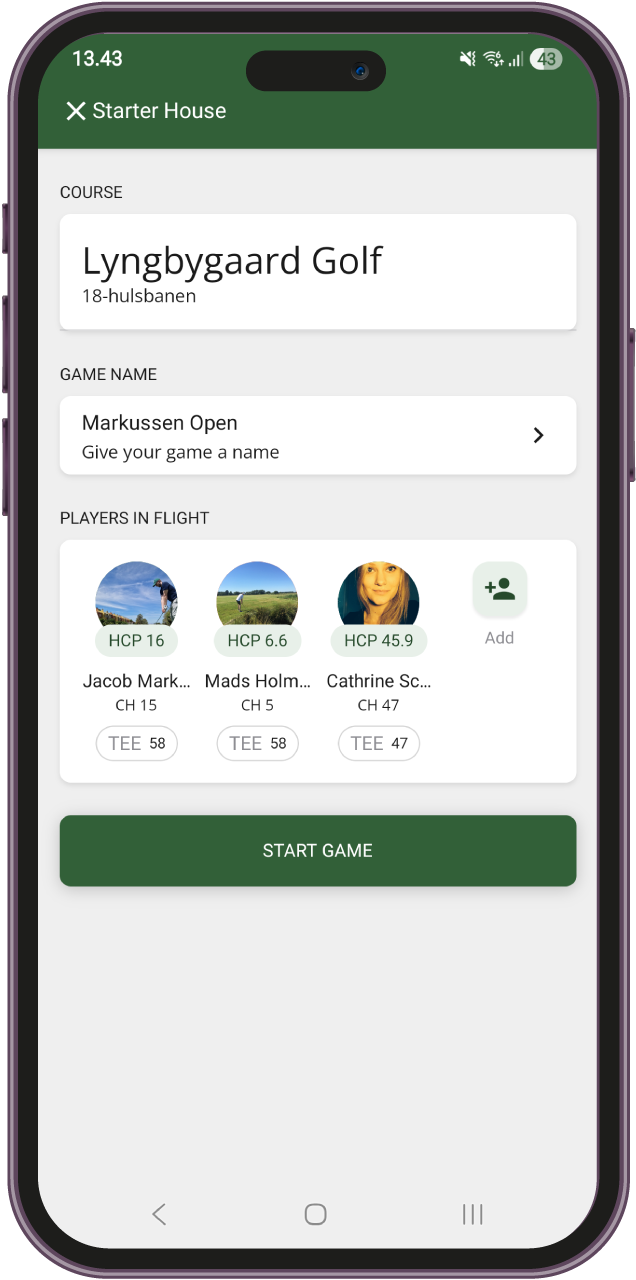
GLFR 6 Starter House

The new Starter House in GLFR 6 gives you the full overview at a glance.

GLFR 6 Starter House - Add Player

Add up to 4 players to your game by adding Buddies or searching for other GLFR users.

GLFR 6 Starter House - Edit Player

Tee are set up automatically based on user preference, and you can switch tees with a tap.

The “One-Click” Buddy Advantage

Want to speed things up even further? We have a pro-tip for you: Use the Buddies feature! By adding the people you play with most often as your Buddies in GLFR, they will appear at the top of your list in the Starter House. Instead of searching, you can add your regular playing partners to the round with just a single click.

The Ultimate Multiplayer Experience

To get the most out of GLFR’s multiplayer features, such as live scoring, we recommend a simple “1+3” strategy:

  • The Leader
    One player creates the round for the entire group in the Starter House and hits “Start Round.”
  • The Crew
    The other players (up to 3) simply open GLFR on their own phones after the first player has started.
  • Join In
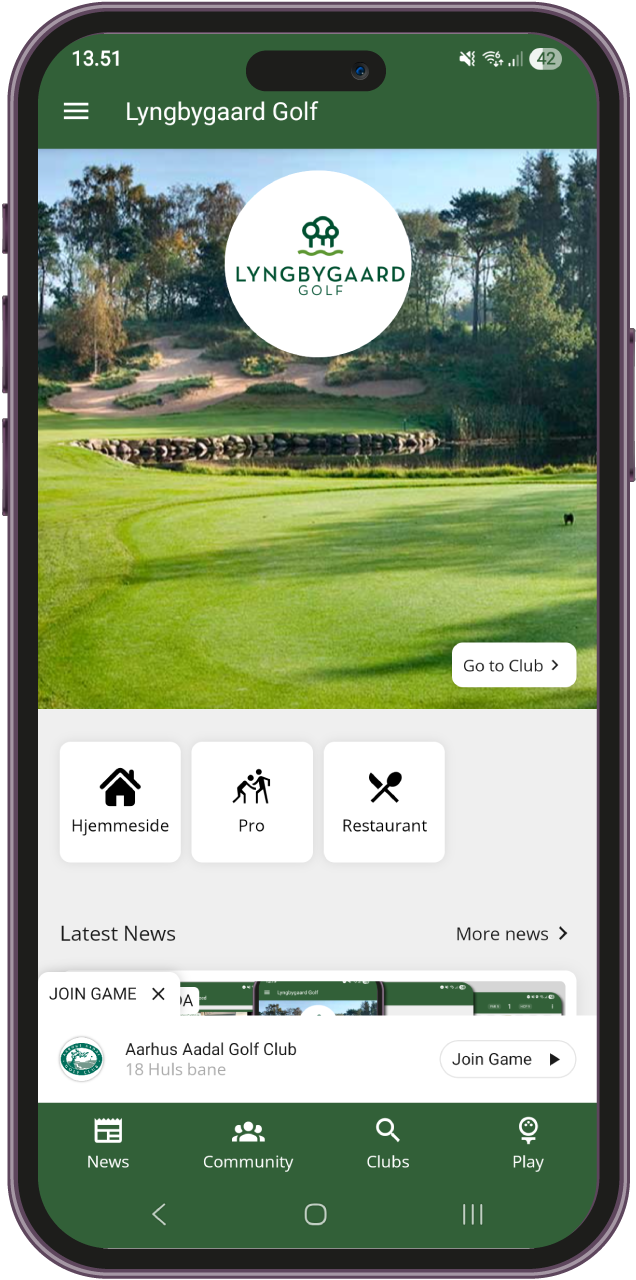
    A notification will automatically appear at the bottom of their home screen. One tap, and they are joined into the shared round with synced scores and distances.
GLFR 6 - Home Game Invite

The new Starter House is live now in GLFR 6. Update your app today and experience the most streamlined way to start your next golfing adventure.

See you on the tee!

Leave a Reply

Your email address will not be published. Required fields are marked *

Fill out this field
Fill out this field
Please enter a valid email address.
You need to agree with the terms to proceed